Getting Started with NovelKnow: Your AI-Powered Writing Journey
Learn how to set up your first project, organize chapters and scenes, and leverage AI assistance for your novel writing.
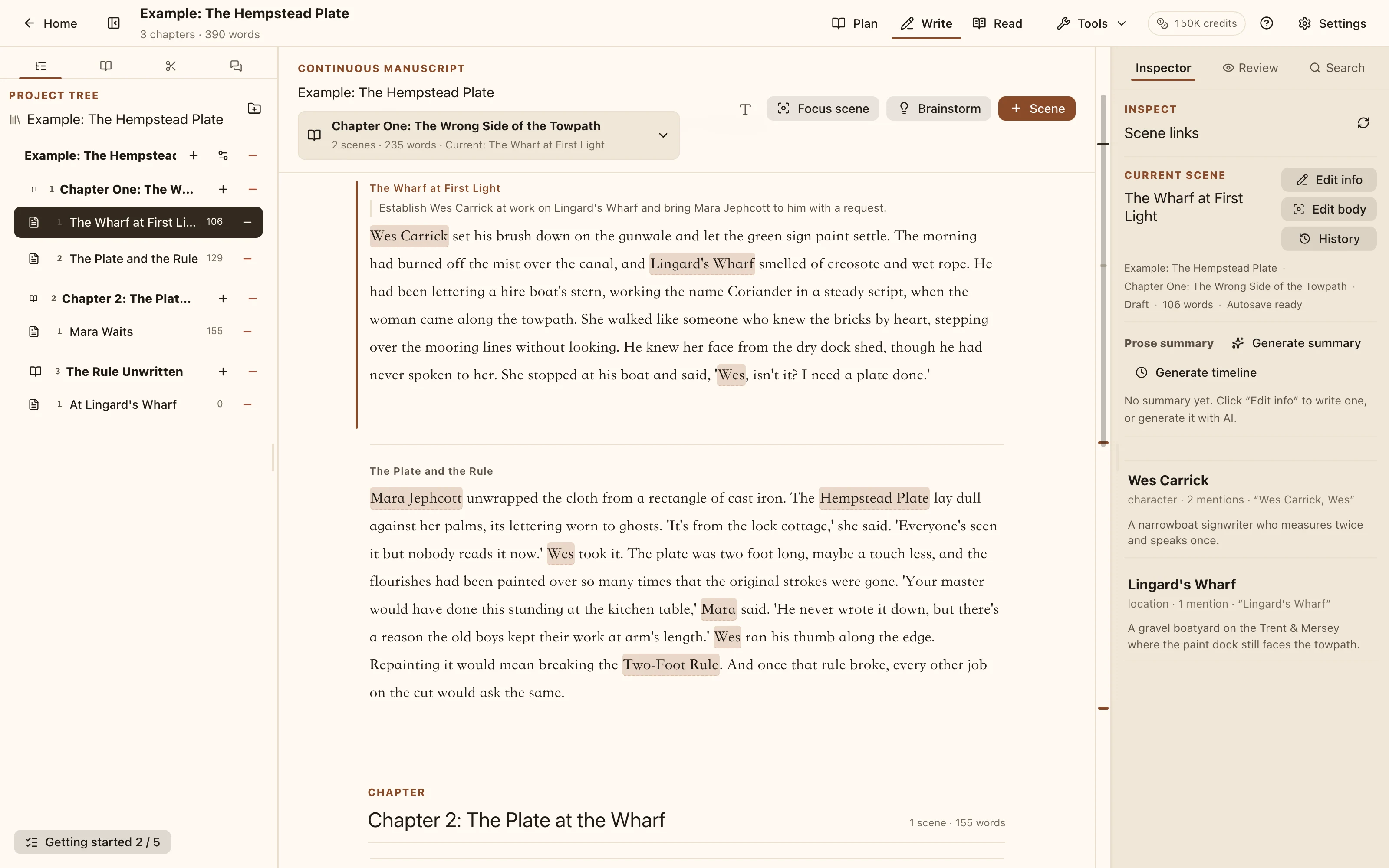
Workspace interface Welcome to NovelKnow! Whether you're starting your first novel or your tenth, this guide will help you get the most out of our AI-powered writing platform.
Creating Your First Project
When you first log in to NovelKnow, you'll land on your dashboard. Here's how to create your first project:
- Click the New Project button
- Enter a title for your novel
- Optionally add a description and configure writing settings
- Click Create Project
Writing Settings
NovelKnow lets you configure several writing preferences that help the AI understand your style:
- Tense: Past or present tense
- Language: Your writing language (American English, British English, etc.)
- Genre: Fantasy, Sci-Fi, Romance, etc.
- Writing Style Guide: Custom instructions for AI writing
Organizing Your Novel
Chapters and Scenes
NovelKnow organizes your novel into chapters and scenes:
- Chapters are major divisions of your story
- Scenes are individual writing units within chapters
You can drag and drop to reorder both chapters and scenes. Each scene tracks its word count and completion status.
The Codex
The Codex is your world-building database. Use it to track:
- Characters: Names, descriptions, relationships
- Locations: Settings, geography, atmosphere
- Items: Important objects, artifacts
- Lore: Magic systems, history, organizations
The AI automatically references your Codex entries to maintain consistency throughout your writing.
Using AI Assistance
Write Mode
In Write mode, you can use AI to help with:
- Continue: Generate the next paragraph based on context
- Expand: Expand a sentence or paragraph with more detail
- Rewrite: Get a different version of selected text
Chat Mode
Chat mode provides a conversational AI assistant. Ask questions about:
- Plot development
- Character motivations
- World-building consistency
- Writing techniques
Tips for Success
- Build your Codex early - The more context the AI has, the better it can help
- Use scene summaries - Write brief summaries to help AI understand story progression
- Customize your prompts - Visit Settings > Prompts to tailor AI behavior
- Write first, edit later - Use AI to overcome writer's block, then refine
What's Next?
Now that you know the basics, dive in and start writing! Check out our other guides for:
Happy writing!
Turn this guide into your next scene
Keep your outline, character notes, and draft together in NovelKnow. Start with one scene and review each AI suggestion before keeping it.